

Recent Articles

Attention to Highlights Will Make Your Textured Photograph Shine
Clean up your highlight areas in a textured photograph to bring your image to life. Use layer masks and layer adjustments to brighten and reveal.
Valentine Sale: 25% Off Everything
Take 25% off all Textures, Photoshop Brushes, Overlays and French ephemera through February 14th.

Before & After: Textured Quince Photo
This Before & After continues the processing of this Quince Still Life from the previous post. Here the layers and final tweaks are applied .

Post-Processing Rocks! Using Lightroom, Photoshop & A Topaz Labs Filter
Post-Processing is the secret to getting great images out of your photographs. I share a Before & After from the original RAW file to processing in Lightroom, Photoshop and Finishing with a Topaz Labs filter. I’ve even included my Topaz filter preset as a download.

This Bed is Just Right by Rebecca Danzenbaker
Discover how Rebecca Danzenbaker created this whimsical, textured, newborn photograph.

Free Mini Vintage French Photoshop Brush Stamp Sampler
FREE! Give these 5 vintage French brush stamps a try and help me test Photoshop and Photoshop Elements versions! Png files included for other software.

Before & After: Textured Lilac Photograph
See how I’ve combined a texture and 3 Artistique Edge Overlays with the Lilac image. The layer panel makes it easy to see how to use the clipping masks in Photoshop.

Installing and Using Photoshop and Photoshop Elements Brushes
This video shows you how to install, load and use Photoshop brushes. Demonstrates using both Photoshop and Elements. Features the Vintage French Script brushes.

Free Photoshop Grunge Brushes
Download this FREE set of Photoshop / Elements Grunge brushes. Also comes with .png files for other image editing software.
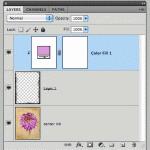
Adding Color to B&W Transparent Overlays
Changing the color on the Black and White transparent overlays is really easy. This video shows you how using Photoshop. Will also work with Elements.





Let’s Connect!