Part 2 of a video tutorial describing how to use the Watercolor Spot Textures with colored backgrounds. Includes a PDF download.

 French Kiss Collections, photography and design resources and tutorials
Fine Art and Grunge textures for Photoshop and Photography
French Kiss Collections, photography and design resources and tutorials
Fine Art and Grunge textures for Photoshop and Photography

Part 2 of a video tutorial describing how to use the Watercolor Spot Textures with colored backgrounds. Includes a PDF download.
Part 1 of a video tutorial describing how to use the Watercolor Spot Textures with colored backgrounds.

Power tips to give you total control over placing a texture into your image file and using the transform tool in Photoshop and Elements to resize the texture.
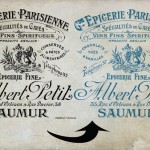
There are always multiple ways to do things in Photoshop and Photoshop Elements. This video goes over two methods for changing the color on files with transparency, like overlays.

Watch this quick video on using the layered digital vintage frames, texture and tape strip. Video is in Photoshop, but the same instructions work for Elements.

This video shows you how to install, load and use Photoshop brushes. Demonstrates using both Photoshop and Elements. Features the Vintage French Script brushes.
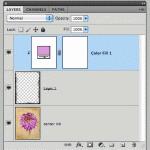
Changing the color on the Black and White transparent overlays is really easy. This video shows you how using Photoshop. Will also work with Elements.

Learn how to use clipping masks to perfectly size and place your photos in a photo template using clipping masks. The template is free on the Facebook page.

In this video, I show you two ways to resize your texture in Photoshop so that it will fit your image exactly. This method works in Elements as well. I’ve found over time, I use this method without the action. Really, the re-size method itself is pretty fast, but feel free to download and try […]

Video tutorial shows you how to use a Color Overlay or Gradient Overlay Layer Style in Photoshop to create unlimited color variations with a Black and White Texture.