French Kiss Texture and Topaz Labs filters used to create a Peony photograph with a watercolor feel.

 French Kiss Collections, photography and design resources and tutorials
Fine Art and Grunge textures for Photoshop and Photography
French Kiss Collections, photography and design resources and tutorials
Fine Art and Grunge textures for Photoshop and Photography

French Kiss Texture and Topaz Labs filters used to create a Peony photograph with a watercolor feel.
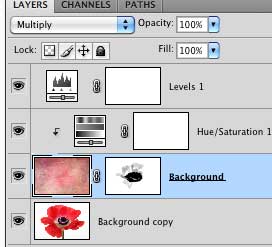
In this video tutorial we use an adjustment layer with a clipping mask in Photoshop to modify a texture without modifying the image below.
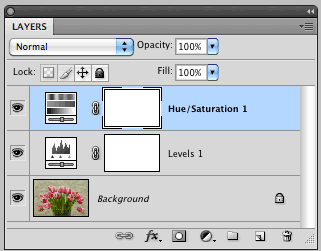
Photoshop’s adjustment layers are an essential part of post-processing. They allow you to make changes such as tonal adjustments to your image non-destructively. This tutorial will give you the basics of working with Adjustment Layers.

We often refer to images at 300 PPI as being “High Resolution.” What does this mean and is it correct? This article attempts to clear up a misunderstanding about the importance of an image’s resolution setting in relation to it’s pixel dimensions. Short video illustration included.
The energy in this image of my Weimaraner, Ellie, pointing is enhanced with a transformation to monochromatic and a grungy texture treatment.
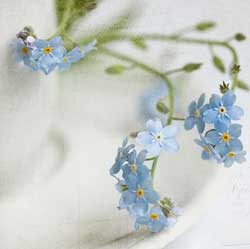
This featured image is not only gorgeous, but also a fantastic example of how you can push a texture to suit your image. Jolanta used French Kiss texture, Famille, which is a fairly dark, brown texture and created this bright, airy image. See her recipe.